> For the complete documentation index, see [llms.txt](https://doc.ave.ai/llms.txt). Markdown versions of documentation pages are available by appending `.md` to page URLs; this page is available as [Markdown](https://doc.ave.ai/vn/huong-dan/pc-website-huong-dan/ket-noi-vi.md).

# Kết Nối Ví

Là nền tảng giao dịch on-chain chuyên nghiệp và an toàn nhất thế giới, Ave.ai cung cấp nhiều tùy chọn kết nối ví giúp bạn bắt đầu hành trình khám phá MEME token một cách dễ dàng.

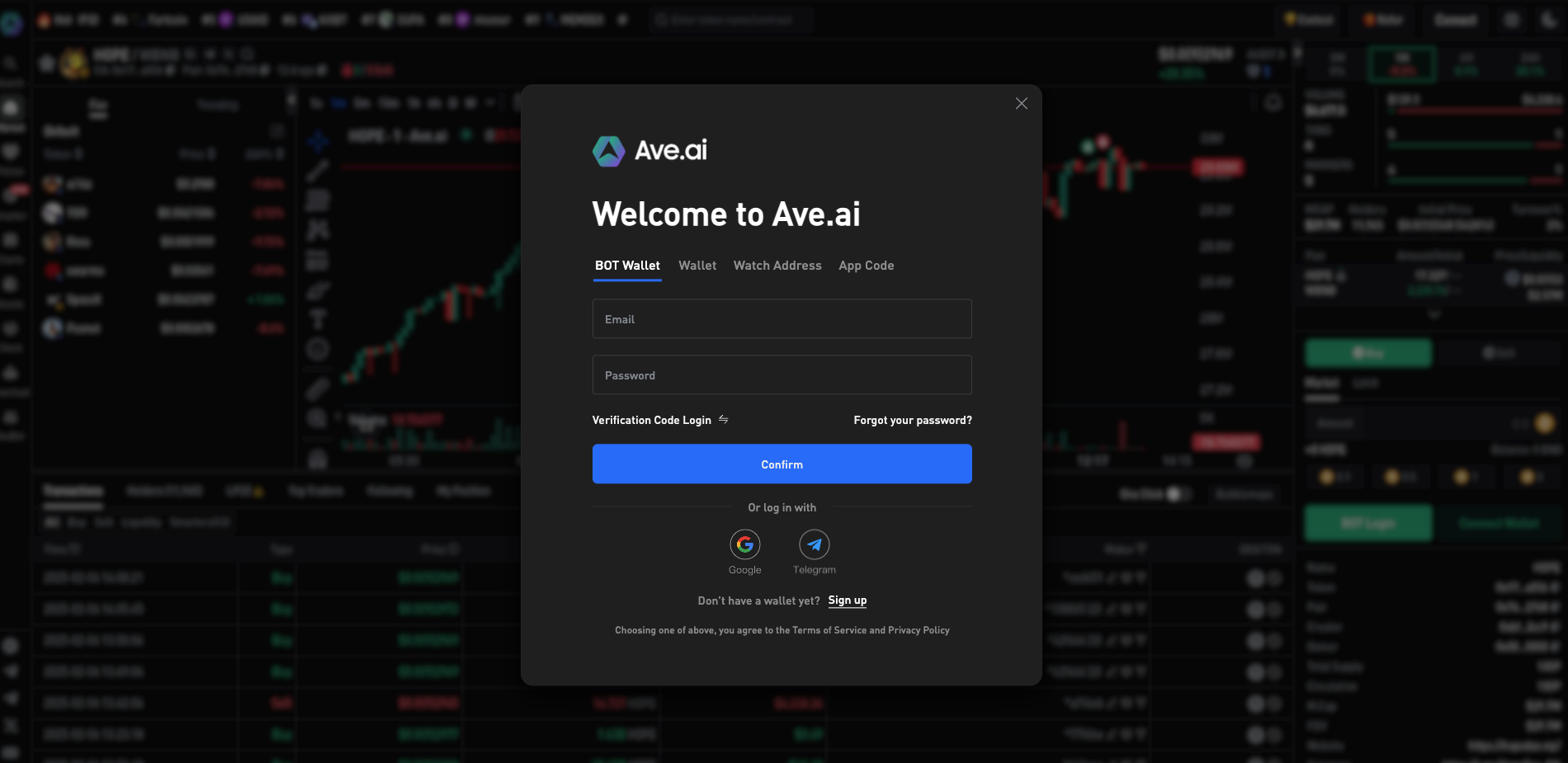
## **1.** Đăng nhập bằng Email (Khuyến nghị)

Tạo tài khoản Ave.ai mới bằng email và mật khẩu. Hệ thống sẽ tự động thiết lập một ví Telegram Bot mới và liên kết nó với tài khoản của bạn. Ngoài ra, nền tảng cũng hỗ trợ đăng nhập nhanh bằng Google Email của bạn.

<figure><img src="/files/4TEkNwAV8kZ6lm4racEC" alt=""><figcaption></figcaption></figure>

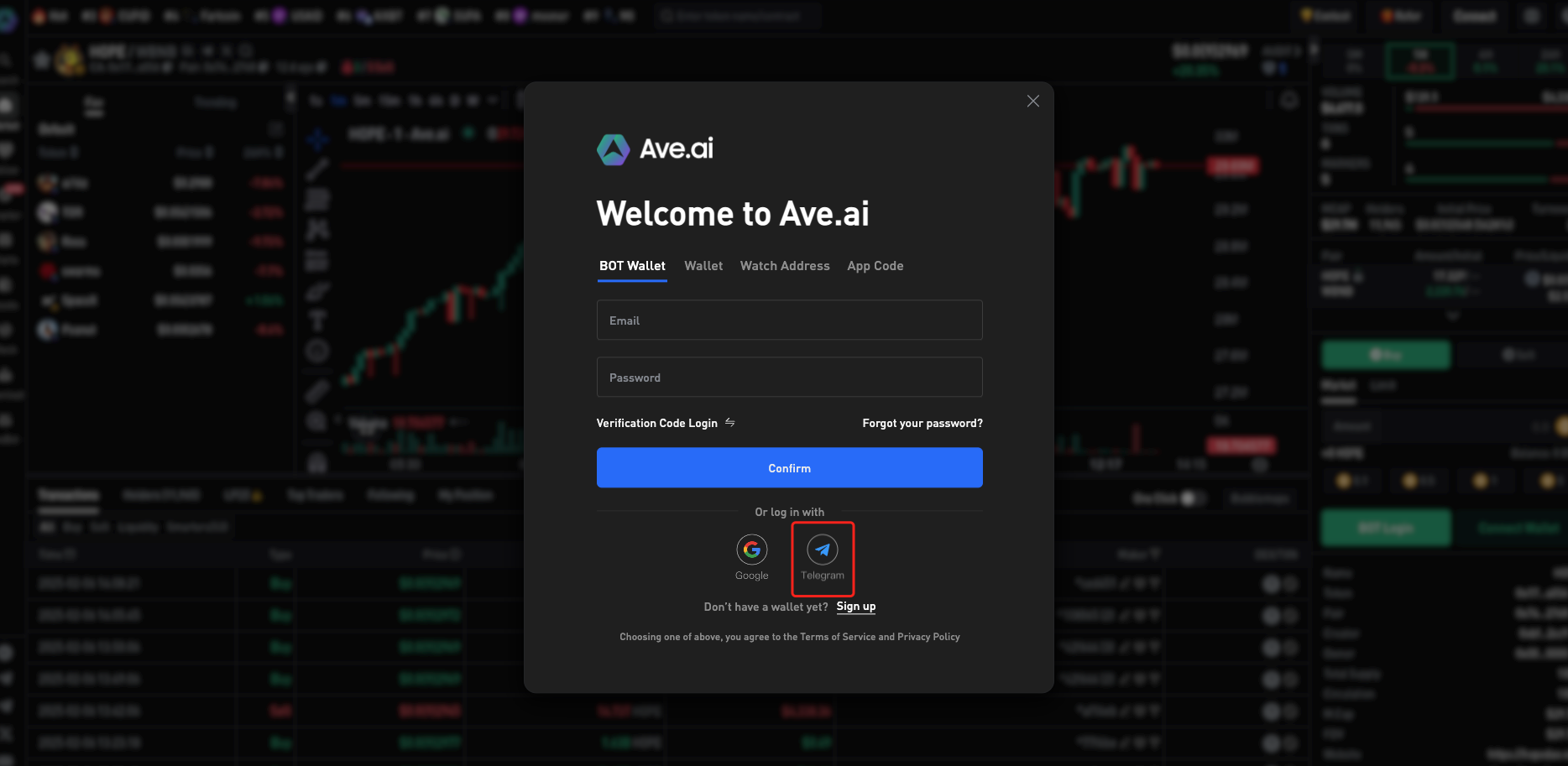
## **2.** Liên Kết Ví Telegram Bot

Nếu bạn đã sử dụng Telegram Ave Sniper Bot, bạn có thể nhanh chóng liên kết ví Telegram của mình. Giao diện web trên PC sẽ chia sẻ cùng địa chỉ ví với ví Telegram Bot, đồng thời đồng bộ hóa dữ liệu giao dịch theo thời gian thực.

<figure><img src="/files/bFehb6pU42BfEGN9weVH" alt=""><figcaption></figcaption></figure>

Ví bot Telegram của Ave hỗ trợ giao dịch token đa chuỗi và hiện đã tích hợp Solana, BNB Chain (BSC), ETH, và Base Chain.

<figure><img src="/files/5fJmpEKXI2OmQlg8Grn5" alt=""><figcaption></figcaption></figure>

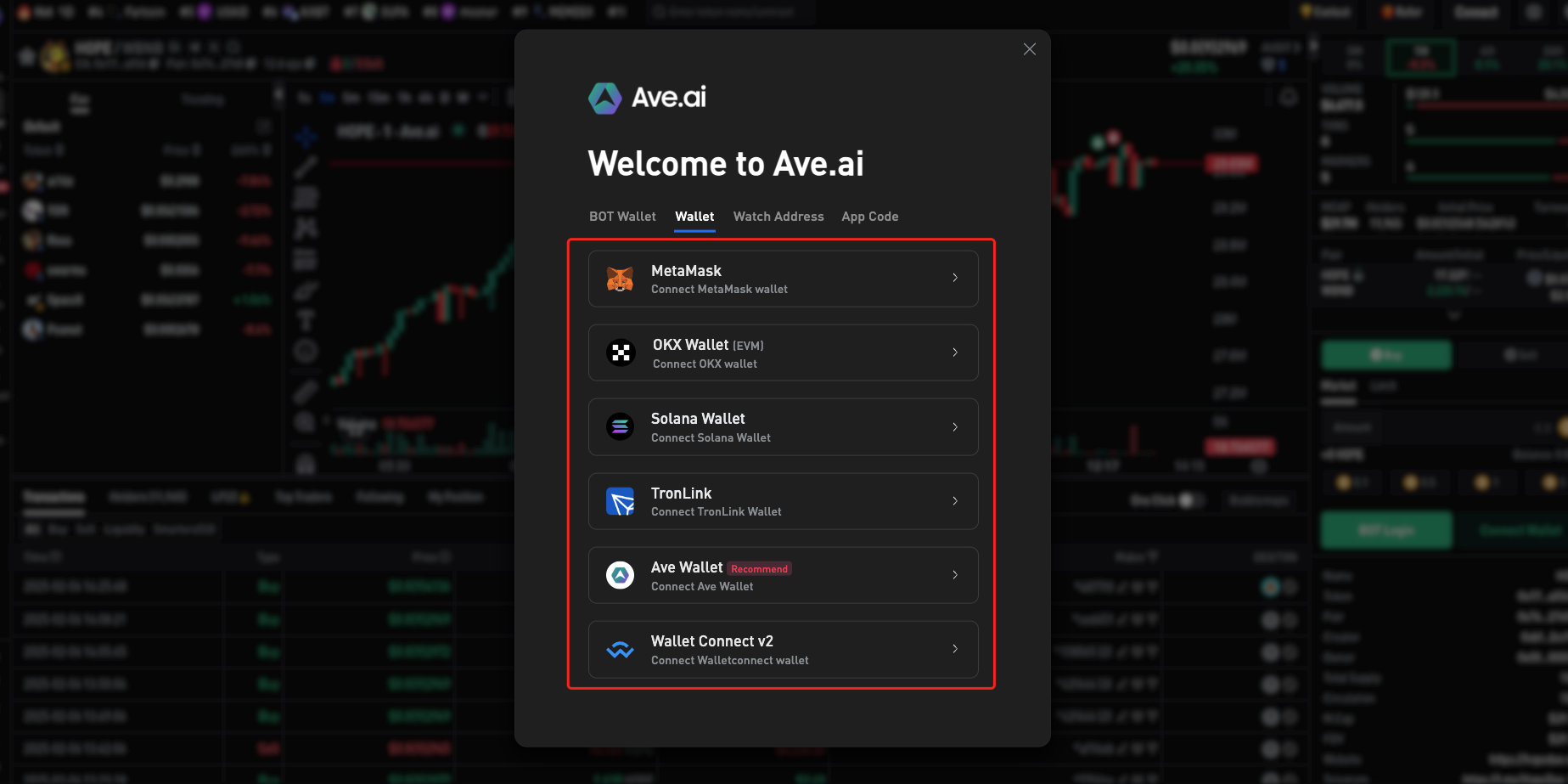
## **3. Đăng Nhập Bằng Ví On-Chain  Chrome**

If you already use an on-chain wallet, you can bind it directly. Currently, Ave.ai supports:

* MetaMask wallet
* Solana wallet
* Phantom
* OKX
* Solflare
* Torus
* Trust

<figure><img src="/files/jPNdqQMkQfPpEOScu99B" alt=""><figcaption></figcaption></figure>

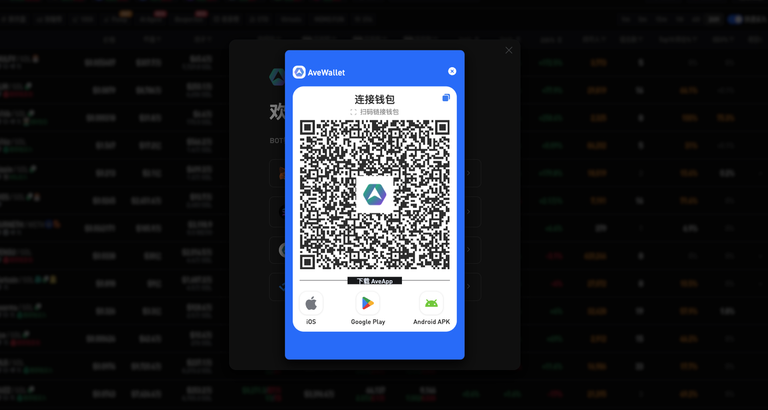
## **4. Đăng Nhập Qua Ví Ave Trên Điện Thoại**

Nếu bạn đang sử dụng ứng dụng AveWallet, chỉ cần quét mã QR để liên kết ví trên di động và đăng nhập.\
[Tải Xuống AveWallet App](https://ave.ai/download)
<figure><img src="/files/dvG9xznVaWNEuwSBZtkX" alt=""><figcaption></figcaption></figure>


---

# Agent Instructions
This documentation is published with GitBook. GitBook is the documentation platform designed so that both humans and AI agents can read, navigate, and reason over technical content effectively. Learn more at gitbook.com.

## Querying This Documentation
If you need additional information that is not directly available in this page, you can query the documentation dynamically by asking a question.

Perform an HTTP GET request on the current page URL with the `ask` query parameter, and the optional `goal` query parameter:

```
GET https://doc.ave.ai/vn/huong-dan/pc-website-huong-dan/ket-noi-vi.md?ask=<question>&goal=<endgoal>
```

`ask` is the immediate question: it should be specific, self-contained, and written in natural language.
`goal` is optional and describes the broader end goal you are ultimately trying to accomplish on behalf of the user. GitBook uses it to tailor the answer towards what is most useful for that goal.

The response will contain a direct answer to the question and relevant excerpts and sources from the documentation.

Use this mechanism when the answer is not explicitly present in the current page, you need clarification or additional context, or you want to retrieve related documentation sections.