> For the complete documentation index, see [llms.txt](https://doc.ave.ai/llms.txt). Markdown versions of documentation pages are available by appending `.md` to page URLs; this page is available as [Markdown](https://doc.ave.ai/vn/huong-dan/app-use-tutorial/beginners-guide-create-your-ave.ai-wallet.md).
# \[Beginners Guide]Create Your Ave.ai Wallet
📖 *You are recommended to refer to our* [*Youtube channel*](https://www.youtube.com/channel/UCkWAsgXsAW_Ybzj9-ksIy-g) *video on How to create wallet & buy tokens on Ave.ai to start your trading more quickly.*
Download and install the Ave.ai App first. For downloading, please refer [*here*](/vn/huong-dan/app-use-tutorial/beginners-guide-downloading-the-ave.ai-app.md)
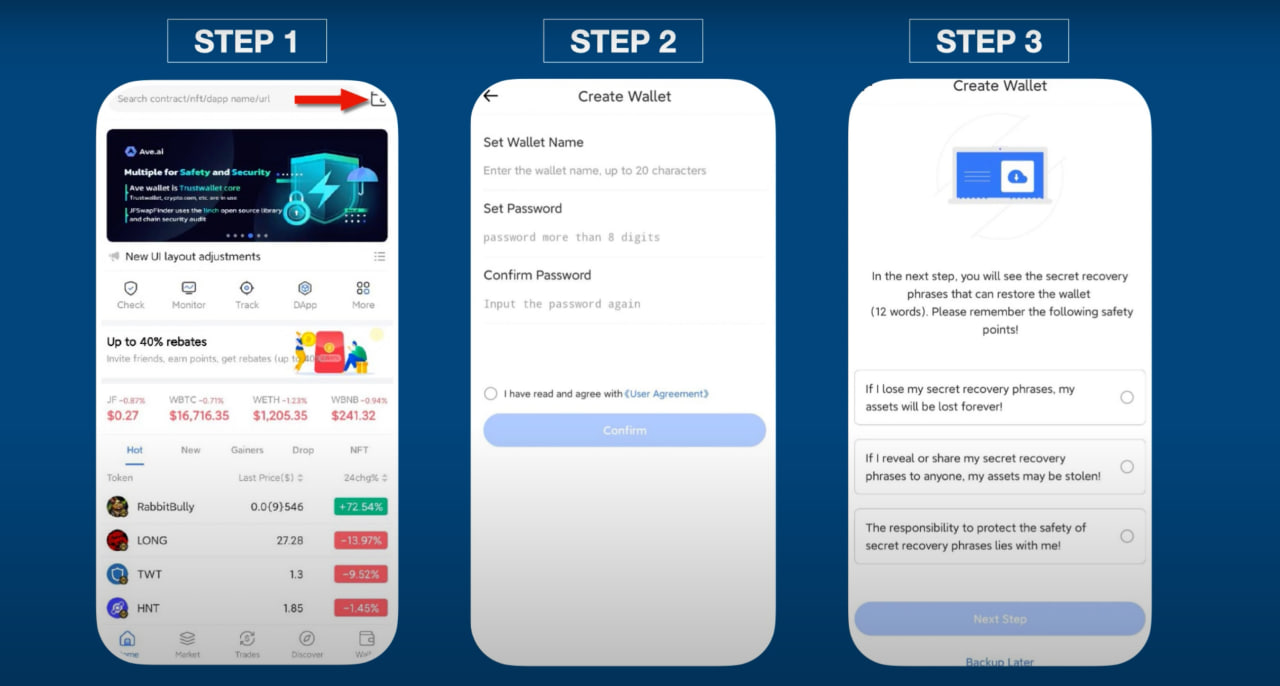
1. Open Ave.ai App, click the wallet icon in the upper right corner of the page and start to set your own wallet.
2. Set your wallet name and enter 8 digits password and confirm
3. Check user agreement and confirm the following safety points.
❗️Keep the safety points in mind and copy the recovery phrases and keep them in a safe place.
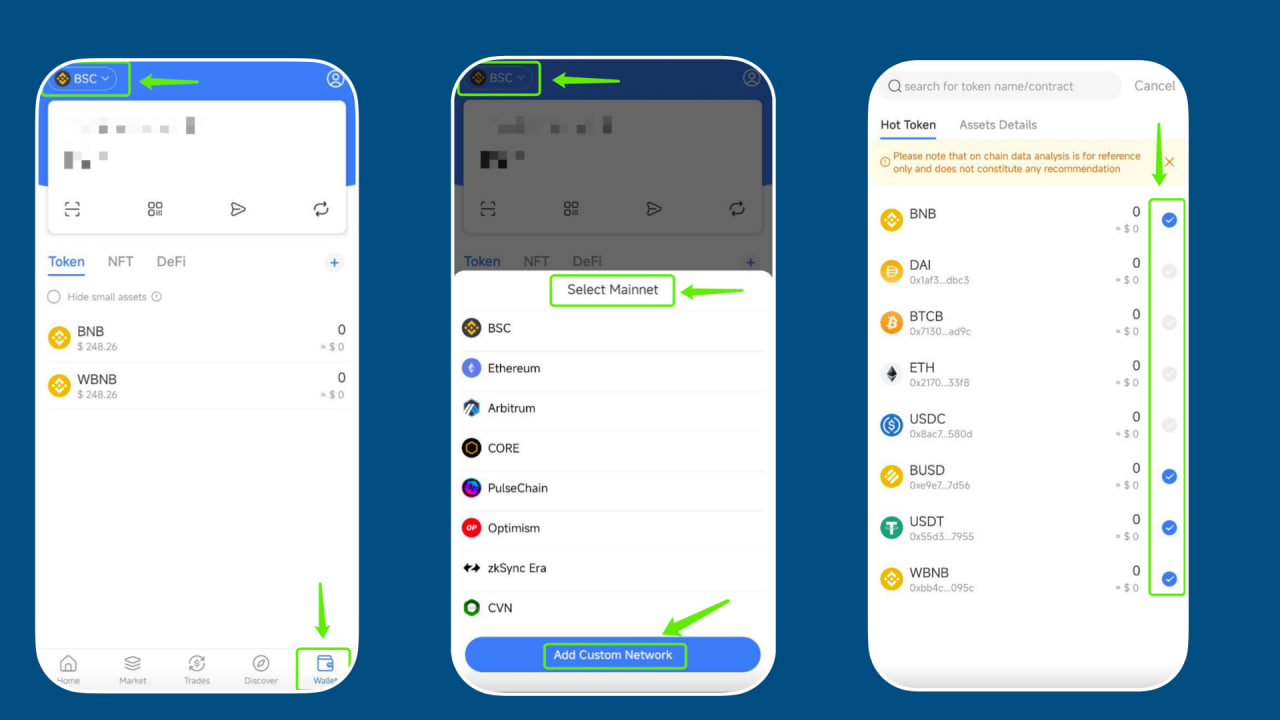
4. Click top left corner of the page(e.g. BSC), you could select mainnet here. Then you could click “+” to add some hot tokens.You can always remove or add tokens here manually.
**Follow Us**
[Twitter](https://twitter.com/aveaiofficial) | [Telegram](https://t.me/aveai_english) | [Website](< https://ave.ai/>) | [Download](https://ave.ai/download) | [Youtube ](https://www.youtube.com/channel/UCkWAsgXsAW_Ybzj9-ksIy-g)