> For the complete documentation index, see [llms.txt](https://doc.ave.ai/llms.txt). Markdown versions of documentation pages are available by appending `.md` to page URLs; this page is available as [Markdown](https://doc.ave.ai/vn/huong-dan/app-huong-dan/apple-id-appstore-login-tutorial.md). Agents can also search and read this documentation through its [MCP server](https://doc.ave.ai/~gitbook/mcp).
# Apple ID AppStore Login Tutorial
## ❗️**Important Notice**
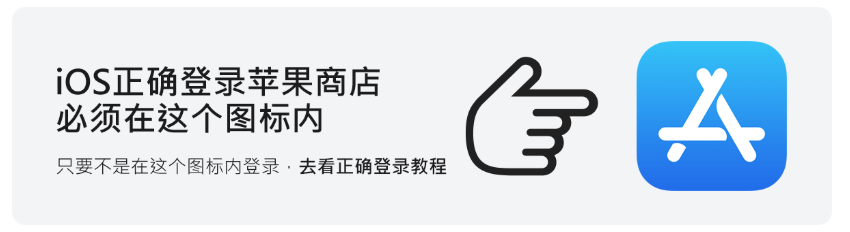
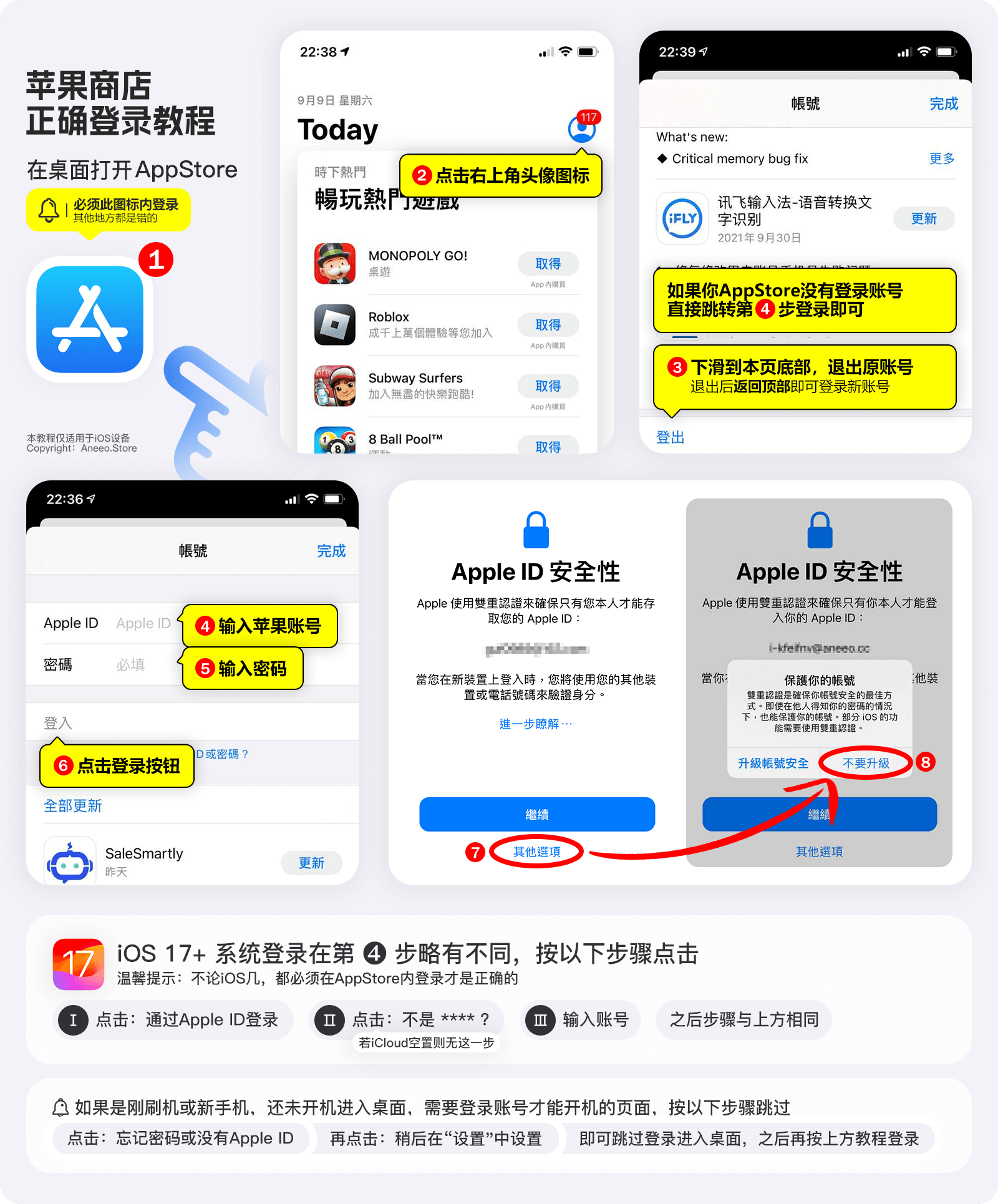
* To download the app, log in only via the home screen’s **AppStore**—logging in elsewhere is incorrect.
* If your iCloud isn’t already logged in, signing into the AppStore will automatically log you into iCloud.
To prevent auto-login, ensure that your iCloud is logged in with your own account, or check in **Settings** afterward and log out if necessary.
* On a new or freshly reset device, log in with your own Apple ID or select **“Forgot password or don’t have an Apple ID”** and then **“Set up later in Settings”** to skip the login.
* **Warning:** If the login process asks for your phone number, it means you haven’t followed the instructions correctly (refer to step 7 in the image tutorial below).
## **1. Log in to the AppStore**
For devices running iOS 17 or later, the interface may differ; refer to the provided image for guidance.
## **2. Download the App:**
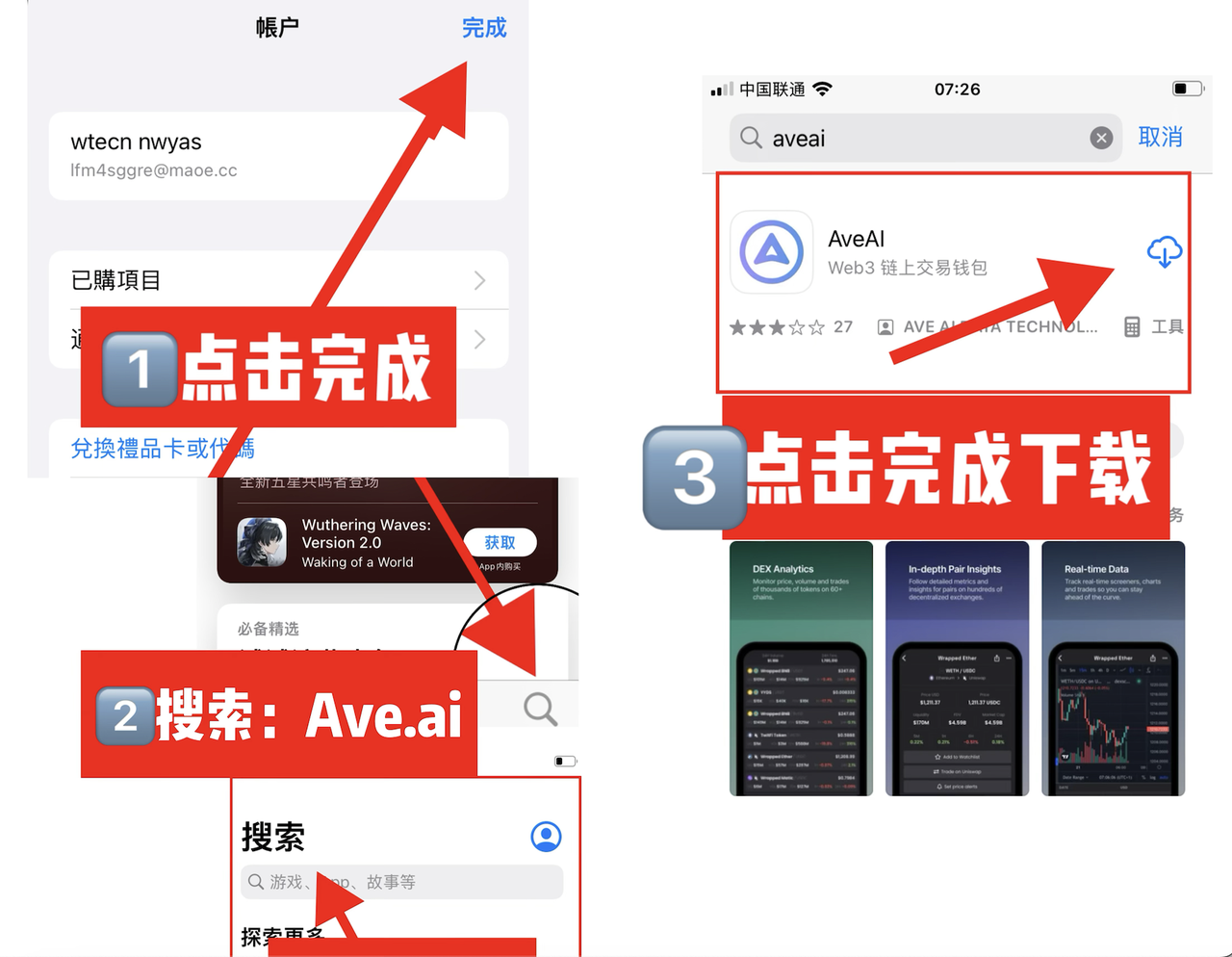
After logging in, simply search for **Ave.ai** and download the app.
## **3. Log Out and Check iCloud:**
Once the app is downloaded, log out using the same method (this will not affect the downloaded app).
**Also, verify in Settings that iCloud isn’t automatically logged in with a purchase account; if it is, log out immediately.**